Short answer: Install an IPTV player from your TV’s app store — IBO Player Pro or Smart IPTV on Samsung and LG, TiviMate or IPTV Smarters Pro on Android TV — then enter your provider’s login. Samsung and LG apps are often activated through the TV’s MAC address on the app’s website. If your TV’s store has no IPTV player (common on Hisense VIDAA and Roku), plug in a Fire TV Stick: it takes five minutes and usually plays better than the TV’s own apps.
Smart TVs are the most common IPTV screen and the most confusing to set up, because every brand runs a different system with a different app store. This guide goes brand by brand, then covers the settings and fixes that apply to all of them.
Which IPTV app to use on each Smart TV
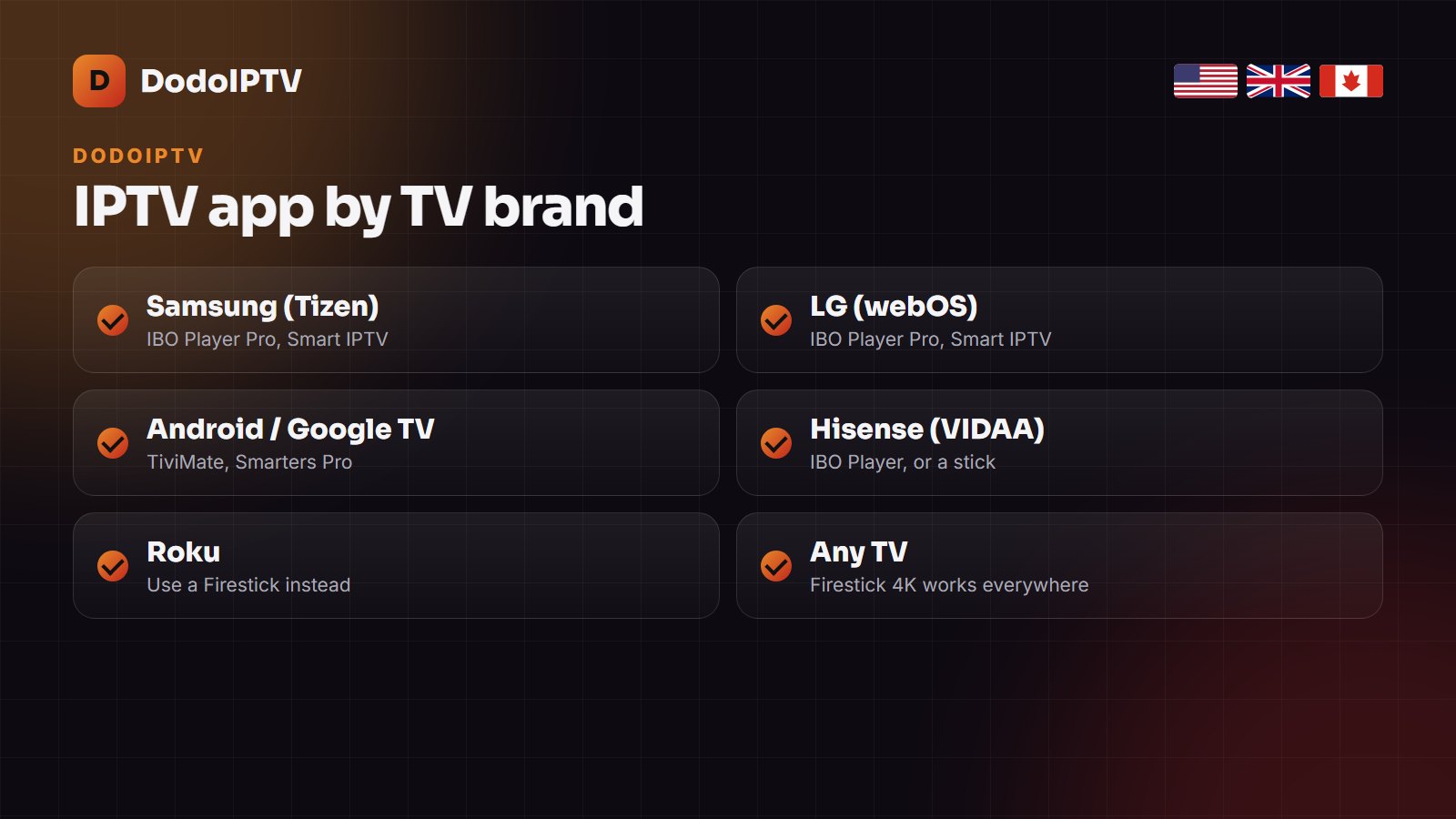
| TV brand / system | Recommended app | How you log in |
|---|---|---|
| Samsung (Tizen) | IBO Player Pro, Smart IPTV, Smarters | MAC address on the app’s website, or Xtream Codes |
| LG (webOS) | IBO Player Pro, Smart IPTV | MAC address on the app’s website |
| Android TV / Google TV (Sony, TCL, Philips) | TiviMate, IPTV Smarters Pro | Xtream Codes in the app |
| Hisense (VIDAA) | IBO Player if listed; otherwise a Firestick | MAC address, or the stick’s app |
| Roku | No good native player | Use a Firestick or Android TV box |
Samsung and LG: the MAC-address method
- Open the TV’s app store (Samsung Apps or LG Content Store) and install IBO Player Pro or Smart IPTV.
- Open the app: it shows a MAC address and a device key on screen.
- On your phone or computer, go to the app’s official website and choose upload or add playlist.
- Enter the MAC address and device key, then paste your Xtream Codes details or M3U link.
- Restart the app on the TV; the channels and guide load.
Most of these players charge a small one-off activation fee after a free week. That fee goes to the app developer, not to your IPTV provider.
Android TV and Google TV
Sony, TCL, Philips and many other brands run Android TV or Google TV, which gives you the best players. Install IPTV Smarters Pro from the Play Store, choose Login with Xtream Codes API and enter the server URL, username and password. TiviMate is the better choice if you want a cable-style grid guide; our best IPTV player guide compares them.
If your TV has no IPTV app
Hisense VIDAA, Roku and older Smart TVs often have no usable IPTV player. Do not fight it: a Fire TV Stick 4K or an Android TV box plugs into any HDMI port and runs every player. Our Firestick setup guide takes about ten minutes, and the best IPTV box guide compares the alternatives.
Smart TV app or streaming stick?
| Smart TV app | Fire TV Stick / Android box | |
|---|---|---|
| Extra hardware | None | About $30–60 |
| App choice | Limited, varies by brand | Every IPTV player |
| 4K playback | Good on recent TVs | Very good on 4K sticks |
| Updates | TV updates can remove apps | Stable |
| Best for | One TV, simple setup | Best picture and the best guide |
If your TV’s app works, keep it. If it is slow, missing or keeps disappearing after updates, a stick is the better long-term choice.
Internet speed for IPTV on a Smart TV
Smart TVs often have weaker Wi-Fi than a modern stick. Allow about 15 Mbps for HD, 25 Mbps for FHD and 35 Mbps or more for 4K on each screen, and use the TV’s Ethernet port if the router is nearby. Our 4K IPTV guide lists the channels that really stream in 4K.
Settings and fixes for every Smart TV
- Buffering: use Ethernet where possible; allow 25 Mbps per FHD stream and 35 Mbps for 4K.
- No guide: refresh the EPG in the app and check the time zone — see what EPG is and how to fix it.
- App disappeared after a TV update: reinstall it and re-enter the MAC details.
- 4K stutters: pick the FHD feed; many TV apps decode 4K less smoothly than a stick.
- Nothing works: run through our IPTV not working checklist.
More Smart TV guides from other IPTV sites
Different sites, different screenshots — useful when a menu on your model looks different:
- IPTV on an LG Smart TV — KiloTV’s webOS walkthrough, model by model.
- Best IPTV for Smart TV — DrogonTV on what to look for when the TV is your only device.
- IPTV Smarters Pro guide — TrendyScreen’s full Smarters walkthrough for Android TV.
- IPTV buffering fix — NorvikTV’s checklist for router and DNS settings.
- How to set up IPTV — StrimoIPTV’s general setup guide for every device.
Frequently asked questions
Can I watch IPTV on my Smart TV without a box?
Yes, on most Samsung, LG and Android TV models. Install IBO Player Pro, Smart IPTV or IPTV Smarters Pro from the TV’s app store and add your login.
What is the best IPTV app for Samsung Smart TV?
IBO Player Pro and Smart IPTV are the most used. Both are activated with the TV’s MAC address on the app’s website.
Why can’t I find an IPTV app on my Hisense or Roku TV?
Their stores rarely carry good IPTV players. A Fire TV Stick or Android TV box is the simplest fix.
Do I pay for the IPTV app?
Some players charge a small one-off fee after a trial week; that goes to the app developer. Your DodoIPTV subscription is separate.
Does DodoIPTV work on Smart TVs?
Yes. DodoIPTV provides Xtream Codes and M3U details that work in every app in this guide.