Short answer: IPTV stands for Internet Protocol Television. Instead of arriving through a cable box, a satellite dish or a roof aerial, live TV channels and on-demand films reach your screen over your ordinary internet connection, the same way a video call or a streaming film does. You need four things: a stable connection of around 15 Mbps for HD, a device such as a Smart TV, Firestick or phone, a player app, and a subscription from an IPTV provider. Prices typically sit between $10 and $20 a month; DodoIPTV plans start at $15.
That is the whole idea in one paragraph. The rest of this guide explains how the signal actually travels, how IPTV compares with cable and with apps like Netflix, what you need at home, what it costs, and how to start tonight without buying any new hardware.
What Does IPTV Stand For?
IPTV means Internet Protocol Television: television delivered as data packets over an IP network rather than as a broadcast radio signal. “Internet Protocol” is simply the set of rules every device on the internet uses to address and deliver data. Your email, this web page and a Zoom call all travel as IP packets; IPTV sends television the same way.
The term covers two quite different worlds. Telecom operators have run closed IPTV networks for years: the TV service bundled with some fibre broadband packages is IPTV running on the operator’s private network. When most people search “what is IPTV” today, though, they mean the other world: over-the-top IPTV services that work on any internet connection, from any provider, on almost any screen.
How Does IPTV Work?
An IPTV provider takes in TV channels, encodes them into internet-friendly streams, and serves them from data centres to a player app on your device, which decodes and displays them. Four links make up the chain, and every viewing problem lives in one of them.
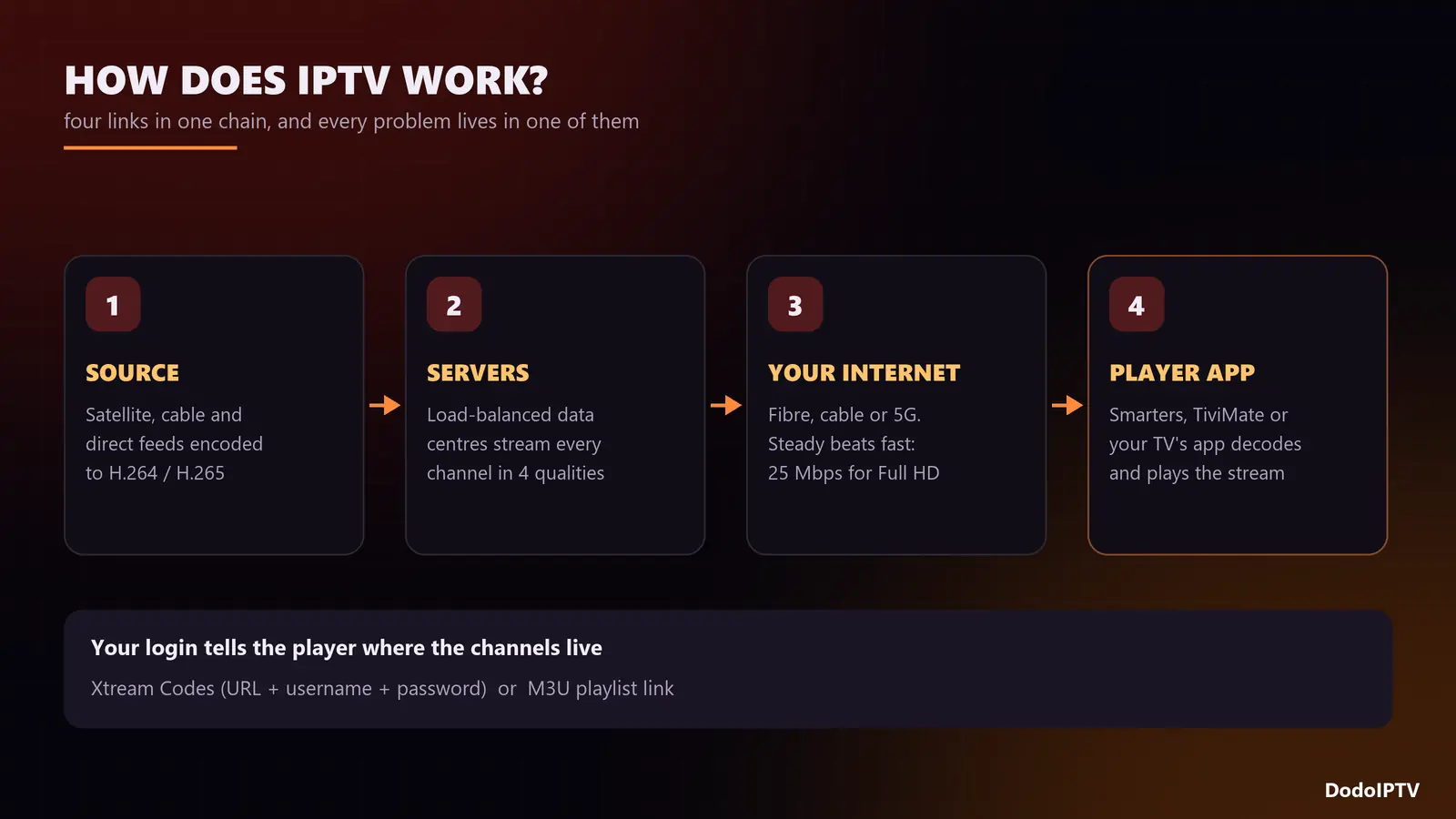
- Source. Channels are captured from satellite, cable and direct feeds, then encoded into compressed video (usually H.264 or H.265) at several qualities: SD, HD, FHD and 4K.
- Servers. The encoded streams sit on servers in data centres. Good providers spread the load across several servers and regions so one busy machine does not freeze everyone on a match night.
- Your internet. The stream travels to your home like any other web traffic. It does not care whether your connection is fibre, cable or 5G, only whether it is steady.
- The player. An app such as IPTV Smarters, TiviMate or the player built into your Smart TV logs in to the provider, downloads the channel list and the TV guide, and plays whatever you pick.
Your login arrives as either an M3U playlist link or a set of Xtream Codes details (server URL, username and password). Both do the same job: they tell the player where your channels live. Xtream is the more convenient of the two because it loads films, series and the guide automatically.
Live TV, video on demand and catch-up
Most IPTV services bundle three kinds of content in one login:
- Live TV: linear channels, exactly as broadcast, including live sport and news.
- Video on demand (VOD): a library of films and series you start whenever you like. DodoIPTV carries 270,000+ titles.
- Catch-up and time-shift: on supported channels you can rewind or replay programmes from the past few days straight from the TV guide.
IPTV vs Cable, Satellite and Streaming Apps
The clearest way to understand IPTV is to set it beside what you already know.
| Cable / satellite | Streaming apps (Netflix, etc.) | IPTV service | |
|---|---|---|---|
| How it arrives | Coax cable or dish | Internet | Internet |
| Live channels | 100 to 300 in a package | Few or none | Thousands, from many countries |
| Films and series | Limited, extra fees | One studio’s catalogue | Large VOD library included |
| Hardware | Rented box, technician | Any screen | Any screen, no technician |
| Contract | Usually 12 to 24 months | Monthly | Prepaid, no contract |
| Typical monthly cost | $80 to $120 | $8 to $23 per app | $5 to $15 depending on plan length |
In short, IPTV gives you the live channels of cable with the convenience of a streaming app. The trade-off is that quality depends heavily on the provider you choose, which is why a trial matters more here than anywhere else.
What Do You Need to Watch IPTV?
A steady internet connection, a compatible device, a player app and an IPTV subscription. Most homes already have the first three.
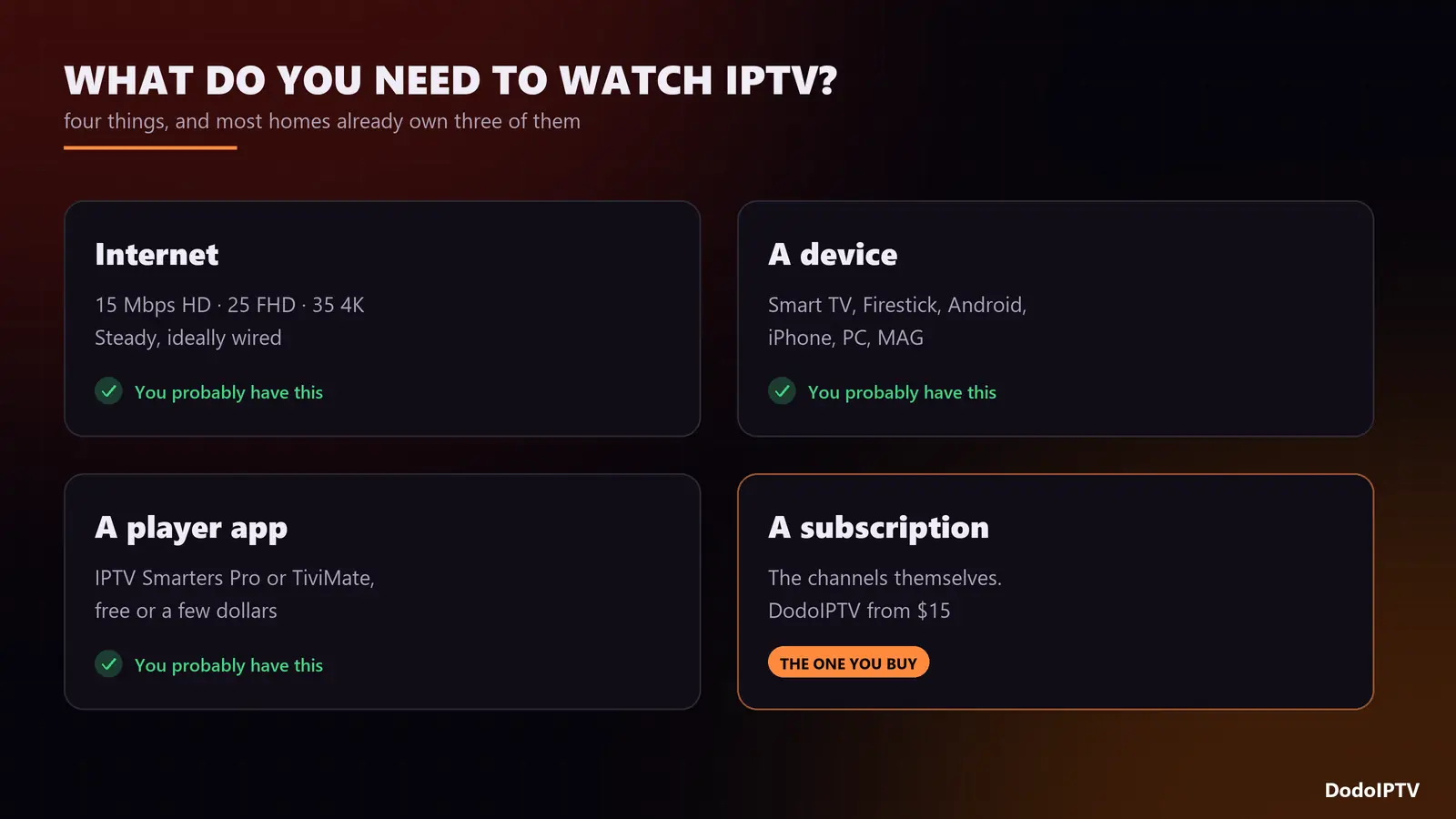
1. Internet speed
| Quality | Speed per stream | Good to know |
|---|---|---|
| HD (720p) | 15 Mbps | Fine for phones and small TVs |
| Full HD (1080p) | 25 Mbps | The everyday sweet spot |
| 4K (2160p) | 35 Mbps+ | Wired Ethernet strongly recommended |
Stability matters more than the headline number. A steady 30 Mbps over a cable beats a 200 Mbps Wi-Fi signal that drops for a second every few minutes. If you plan to watch on two screens at once, add the speeds together.
2. A device
Smart TVs from Samsung and LG, Amazon Firestick and Fire TV, Android TV boxes, Nvidia Shield, Apple TV, iPhone, iPad, Android phones, Windows and Mac computers, MAG boxes and Enigma2 receivers all work. Our device setup guides cover each one, and the best IPTV box comparison helps if you are buying.
3. A player app
IPTV services do not usually ship their own app; you pick a player. IPTV Smarters Pro and TiviMate are the two most common. If you are on a Firestick, our step-by-step guide to installing IPTV Smarters Pro on Firestick takes about ten minutes, and the best IPTV player roundup compares the alternatives.
4. A subscription
The subscription is what gives you the channels. It decides the size of the line-up, the stability at peak hours, the support you get when something breaks, and how many devices can watch at the same time.
What Is an IPTV Service, and What Is an IPTV Box?
An IPTV service (or provider) is the company that runs the servers and sells access to the channels. An IPTV box is just a device that runs a player app: a Firestick, an Android box or a MAG unit. The box contains no channels on its own. If a shop sells you a box “with 20,000 channels loaded”, what it is really selling is a box plus a subscription from somebody, and you will need to renew that subscription when it runs out.
How Much Does IPTV Cost?
A reputable IPTV subscription costs roughly $10 to $20 a month, and much less per month on longer plans. Here is how DodoIPTV prices it, as an example of a typical structure:
| Plan | Price | Per month | Devices at once |
|---|---|---|---|
| 1 Month | $15 | $15.00 | 1 |
| 3 Months | $35 | $11.67 | 1 |
| 6 Months | $55 | $9.17 | 1 |
| 1 Year | $80 | $6.67 | 2 |
| 2 Years | $120 | $5.00 | 3 |
| Lifetime | $150 once | One-time | 5 |
For a deeper breakdown of market prices and the hidden costs people forget, read how much IPTV costs in 2026. If a one-time payment appeals, our guide to the lifetime IPTV subscription runs the break-even maths.
Is IPTV Free? Is It Legal?
Free IPTV exists, mostly as ad-supported channels and public playlists, but it is a much smaller product than the name suggests. We compare the two honestly in free IPTV vs paid IPTV.
On legality: IPTV as a technology is entirely legal; it is how many telecom operators deliver their own TV. Whether a particular service is legal depends on whether it holds the distribution rights for the channels it sells, and the rules differ from country to country. Check the provider’s terms and your local law before you subscribe.
How to Start Watching IPTV in 15 Minutes
- Run a speed test on the device you will watch on, not on your phone in another room.
- Take a free trial. DodoIPTV offers 24 hours with the full line-up over WhatsApp, no card needed.
- Install a player such as IPTV Smarters Pro or TiviMate.
- Enter your login (Xtream Codes details or M3U link) and wait a minute for channels and the guide to load.
- Test at peak time. Watch a live match or the evening news at 9pm. If it holds, pick a plan.
For the longer version, with every device covered, see how to get IPTV in 6 steps.
Frequently Asked Questions
What is IPTV in simple terms?
TV over the internet. Live channels and films reach your screen through your broadband connection instead of a cable or a satellite dish, and you watch them in an app.
Do I need a special box for IPTV?
No. Any Smart TV, Firestick, Android box, phone, tablet or computer that can run a player app will do. A dedicated box mainly adds speed and an Ethernet port.
Does IPTV work without internet?
No. Every channel is streamed live from the provider’s servers, so you need a working connection the whole time you watch.
Can I watch IPTV on more than one TV?
Yes. You can install the app on every device you own; the plan decides how many play at the same time. See IPTV on multiple devices for how connections work.
What is EPG on IPTV?
The electronic programme guide: the TV schedule your player shows next to each channel. Our guide to EPG on IPTV explains how it loads and how to fix it when it is empty.
Why does IPTV buffer?
Usually because of Wi-Fi dropouts, a weak device or a small player buffer, and sometimes because the provider’s server is overloaded at peak time. Our IPTV buffering fixes walk through all twelve causes in order.