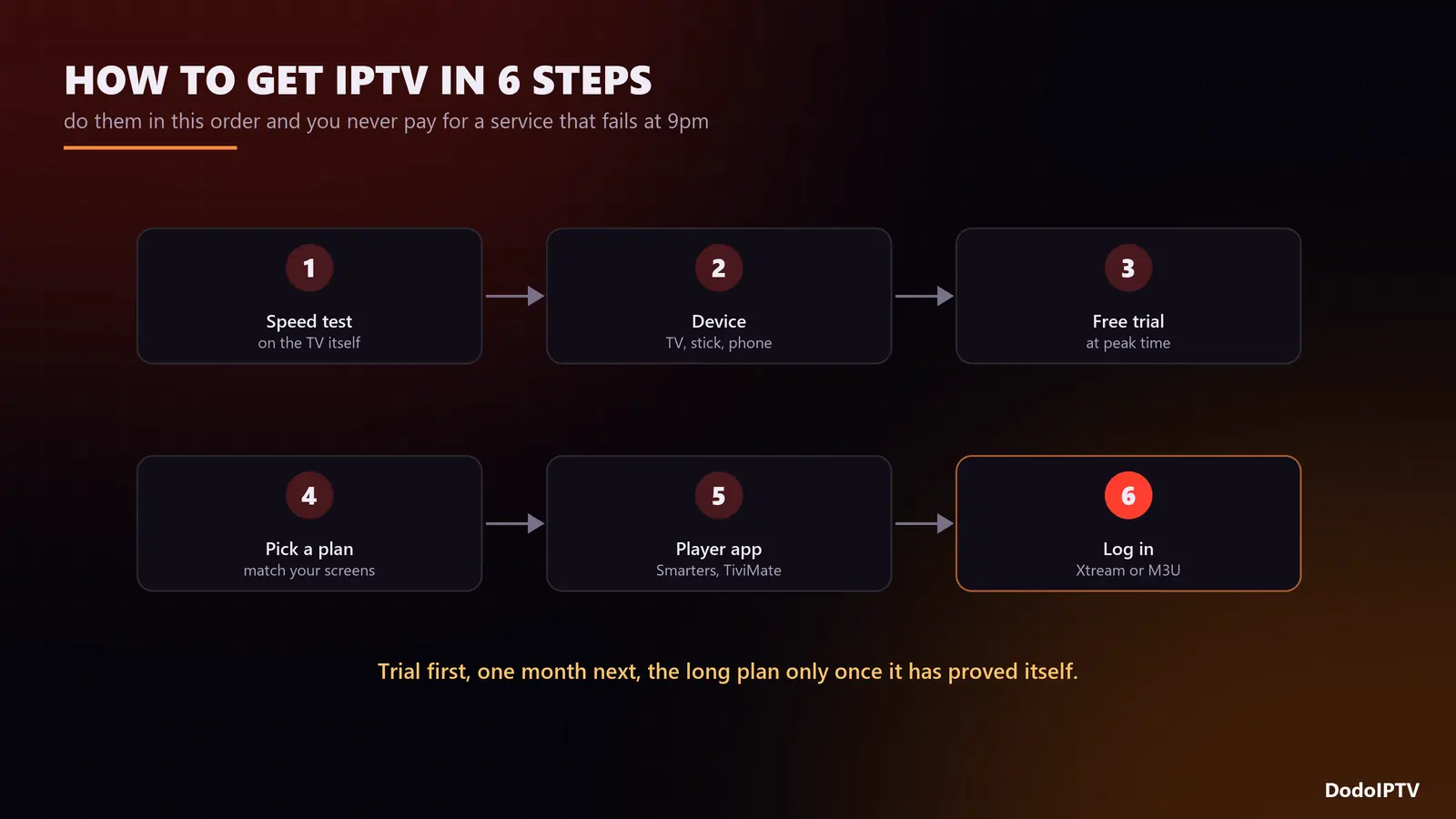
Short answer: to get IPTV you need a steady internet connection, a device that runs a player app (Smart TV, Firestick, Android box, phone or computer), and a subscription from an IPTV provider. The order that saves money is: test your speed, pick your device, take a free trial, buy a short plan, install a player, log in with the details the provider sends you, and only then move to a longer plan. The whole process takes about fifteen minutes and needs no technician.
This guide walks through those six steps in detail, with the speeds, devices and login formats explained, plus the mistakes that make people pay twice. If you are not sure what IPTV is yet, start with what IPTV is and how it works.
Step 1: Check Your Internet Connection
Run a speed test on the device you will actually watch on, at the time you usually watch. A test on your phone next to the router tells you very little about the TV two walls away.
| You want to watch | Minimum steady speed | Connection advice |
|---|---|---|
| HD on one screen | 15 Mbps | 5 GHz Wi-Fi is fine |
| Full HD on one screen | 25 Mbps | 5 GHz Wi-Fi or Ethernet |
| 4K on one screen | 35 Mbps | Ethernet strongly recommended |
| Two screens at once | Add both together | Ethernet for the main TV |
If the number is borderline, the fix is usually cheap: a $15 Ethernet adapter for a Firestick or moving the router does more than any new subscription. Our buffering guide explains why stability beats raw speed.
Step 2: Choose the Device You Will Watch On
You probably already own a device that runs IPTV. Here is how the common options compare:
| Device | Setup effort | Best for |
|---|---|---|
| Amazon Firestick / Fire TV | 10 minutes (sideload a player) | Any TV with an HDMI port |
| Android TV box / Nvidia Shield | 5 minutes (player from the store) | Live sport, 4K, wired connection |
| Samsung or LG Smart TV | 5 minutes (player from the TV store) | No extra hardware at all |
| iPhone, iPad, Android phone | 3 minutes | Watching on the move |
| Windows or Mac | 3 minutes | Desk viewing, second screen |
| MAG box / Enigma2 | Portal URL entered by MAC address | Plug-and-play households |
Buying something new? The best IPTV box comparison covers seven devices on speed, RAM and price.
Step 3: Take a Free Trial Before You Pay
A trial is the only honest test of an IPTV provider, because it shows how that service behaves on your connection, your device and your channels. Use it properly:
- Watch at peak time, around 9pm or during a big match, not at 2pm when every server is quiet.
- Check the channels you actually watch, not the headline count.
- Open the TV guide and see that programmes line up with the right channels.
- Send support a question and time the answer.
DodoIPTV gives a 24-hour trial with the full line-up over WhatsApp: no card, nothing to cancel. Our guide to free vs paid IPTV has a nine-point checklist for judging any provider.
Step 4: Pick a Plan (and the Right Number of Devices)
Start short, then go long once the service has proved itself. Longer plans cost much less per month, and on DodoIPTV they also cover more screens at the same time:
| Plan | Price | Per month | Devices at once |
|---|---|---|---|
| 1 Month | $15 | $15.00 | 1 |
| 3 Months | $35 | $11.67 | 1 |
| 6 Months | $55 | $9.17 | 1 |
| 1 Year | $80 | $6.67 | 2 |
| 2 Years (promo) | $120 | $5.00 | 3 |
| Lifetime (promo) | $150 once | One-time | 5 |
Count the screens that will play at the same moment, not the screens in the house: installing the app everywhere is free, but simultaneous streams are limited. IPTV on multiple devices explains how that works. The full price list is on the pricing page.
Step 5: Install an IPTV Player App
The player is the app that turns your login into a channel list. Pick one per device:
- Firestick: IPTV Smarters Pro or TiviMate, installed through the Downloader app. Follow our IPTV Smarters Pro on Firestick guide or the general Firestick IPTV setup.
- Android TV and boxes: TiviMate or IPTV Smarters Pro from the Google Play Store.
- Samsung and LG: a player from the TV’s own app store, such as IPTV Smarters or a similar Xtream-compatible app.
- iPhone and iPad: an Xtream-compatible player from the App Store.
- Windows and Mac: IPTV Smarters for desktop, or VLC for a quick M3U test.
Not sure which app to choose? We compared seven in the best IPTV player guide.
Step 6: Log In With Your IPTV Details
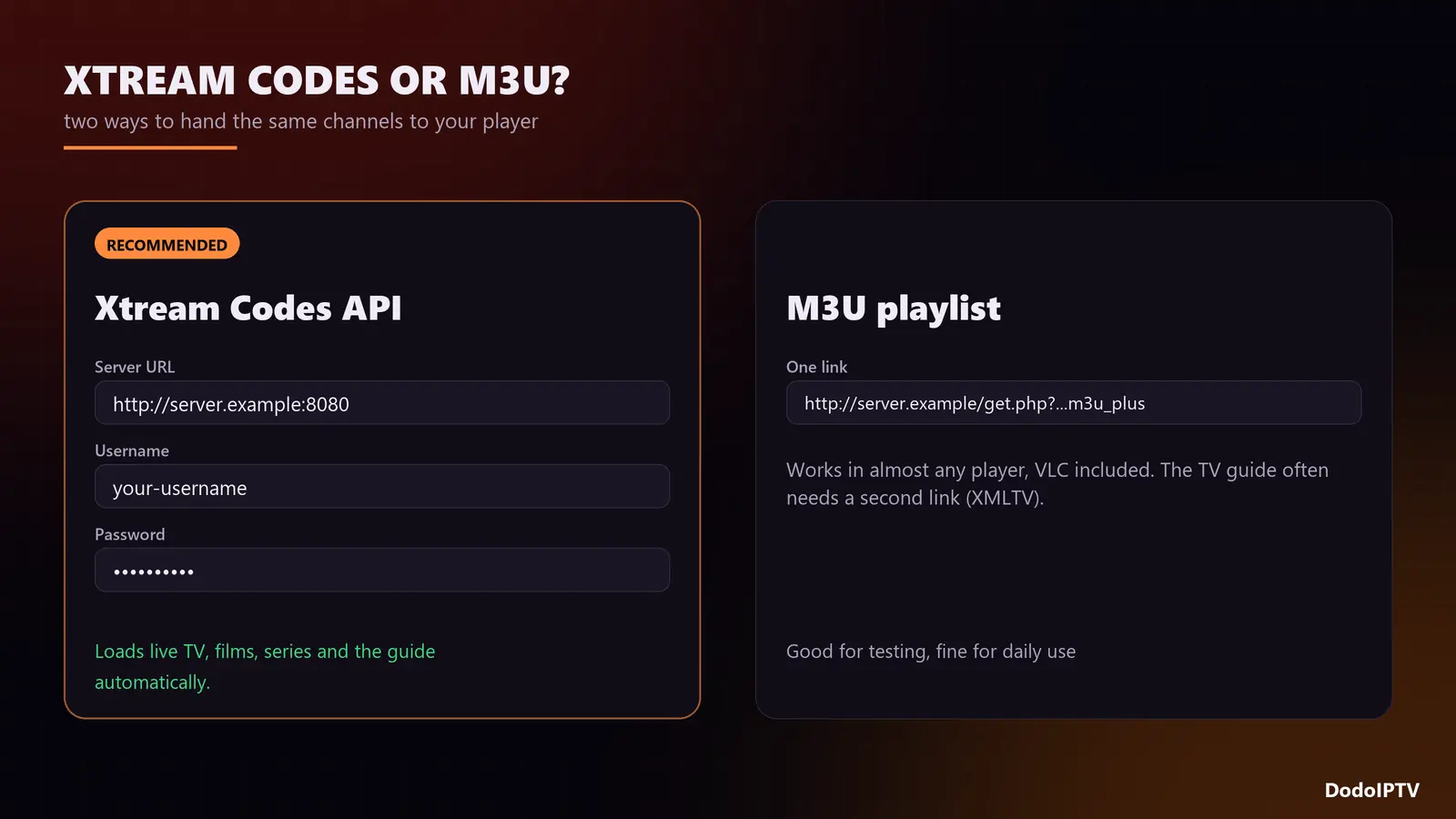
Your provider sends your login in one of two formats, and every serious player accepts both.
| Format | What you receive | Why choose it |
|---|---|---|
| Xtream Codes API | Server URL, username, password | Loads live TV, films, series and the guide automatically. Recommended. |
| M3U playlist | One long link ending in .m3u or m3u_plus | Works in almost any player, including VLC. The guide may need a separate link. |
| MAC / portal | Portal URL tied to your device’s MAC address | For MAG boxes and some Smart TV apps. |
Type the details exactly as sent: no extra spaces, and keep the http:// and port number in the URL. The first load takes a minute while the player downloads the channel list and the TV guide. If the guide stays empty, see what EPG is and how to fix it.
Five Mistakes That Make People Pay Twice
- Buying a year before testing. A trial plus one month costs little and tells you everything.
- Judging the service at 2pm. Every provider is smooth off-peak. Test on a match night.
- Running 4K over weak Wi-Fi. The picture stutters and the provider gets the blame. Use a cable.
- Ignoring the device limit. A second screen on a one-device plan knocks the first one off.
- Buying a “loaded” box. The box holds no channels; you will be paying someone for a subscription either way.
Frequently Asked Questions
How do I get IPTV on my TV?
On a Smart TV, install an IPTV player from the TV’s app store and log in. On any other TV, plug in a Firestick or Android box, install a player, and log in with the details your provider sends.
How do I get an IPTV username and password?
They come from your IPTV provider when you start a trial or buy a plan. DodoIPTV sends them on WhatsApp or by email, usually within 5 to 15 minutes.
Can I get IPTV without a box?
Yes. Smart TVs, phones, tablets and computers all run IPTV apps directly. A box is only needed if your TV is not smart or its apps are too slow.
How long does IPTV take to set up?
About fifteen minutes from receiving your login to watching your first channel, including installing the player app.
Do I need a VPN for IPTV?
Not to make it work. A VPN can help if your internet provider throttles video traffic in the evening, but it also adds a little latency. Try without one first.
Is there a contract?
Not with DodoIPTV. Every plan is prepaid for its period, with no auto-renewal and a 7-day money-back guarantee.